---
title: How to Use the Offline Event Uploader Tool
description: Upload offline events to Meta, TikTok, Snapchat, and Pinterest to power matchback reporting and connect ad spend to real-world results.
---
[Skip to content](https://support.buyerbridge.com/knowledge/how-to-use-the-offline-event-uploader-tool#main-content)
English
Show submenu for translations
[Submit a ticket](https://support.buyerbridge.com/knowledge/kb-tickets/new?hsLang=en)
![BuyerBridge\_LOGO-dark-2.png\]](https://support.buyerbridge.com/hs-fs/hubfs/BuyerBridge_LOGO-dark-2.png?height=40&name=BuyerBridge_LOGO-dark-2.png)
Open main navigation
Close main navigation
- English
Show submenu for translations
- [Submit a ticket](https://support.buyerbridge.com/knowledge/kb-tickets/new)
- Go to buyerbridge.com
Go to buyerbridge.com
Welcome to the BuyerBridge Help Center!
- There are no suggestions because the search field is empty.
1. [Help Center](https://support.buyerbridge.com/knowledge?hsLang=en)
2. [Metrics](https://support.buyerbridge.com/knowledge/metrics?hsLang=en)
3. [Offline Events](https://support.buyerbridge.com/knowledge/metrics?hsLang=en#offline-events)
# How to Use the Offline Event Uploader Tool
## Upload offline sales, service visits and leads to Meta, TikTok, Snapchat, Pinterest, Google and Reddit to see what your ads helped drive.
The **Offline Events Uploader Tool** lets you upload offline customer data (**like leads, purchases, or service**) right inside BuyerBridge to Meta, TikTok, Snapchat, Pinterest, Google and Reddit at once. Those events can then be **matched back to people** who viewed or clicked your ads, so you can measure real results beyond clicks.
Offline Events work for any industry, not only automotive. Upload whatever your business counts as a sale, a service visit or a lead.
🚨**Important**: BuyerBridge *encrypts and protects* customer data during this process. Platforms receive hashed data for matching, and raw contact details aren’t exposed.
**Quick links**
- [What are Offline Events?](https://support.buyerbridge.com/knowledge/how-to-use-the-offline-event-uploader-tool#what_are_offline_events)
- [Before you start](https://support.buyerbridge.com/knowledge/how-to-use-the-offline-event-uploader-tool#before_you_start)
- Step 1: Find the Offline Events Uploader
- [Step 2: Upload + validate your file](https://support.buyerbridge.com/knowledge/how-to-use-the-offline-event-uploader-tool#upload_file)
- [Step 3: Check Upload Status](https://support.buyerbridge.com/knowledge/how-to-use-the-offline-event-uploader-tool#check_upload_status)
---
### **What are Offline Events?**
Offline Events are customer actions that happen “off the website,” like:
- A purchase
- A service appointment or completed job
- A lead that came in by phone, walk-in, or another system
Uploading these events helps you answer the big question: “Did our ads influence real business?”
#### **Before you start**
Here’s what you’ll want ready:
- A **CSV file** (required)
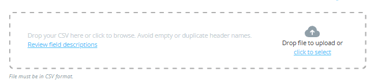
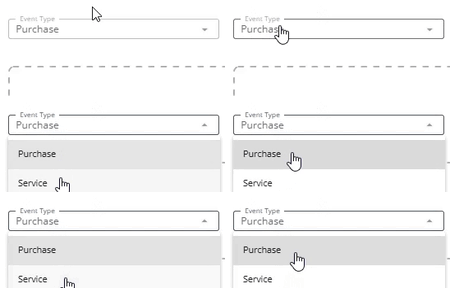
- Events that are **one event type per file** (example: *only Purchases* in a file)
- At minimum, include **a name** and **one strong identifier** (email or phone)
**Export your customer data**
1. Log into your **CRM or data provider**.
2. Export the list of events you want to measure.
- Example: “Purchases from last month” or “Service visits from last month”
3. Save the export as a **CSV**.
**💡 Pro tip:** Keep your export clean. Remove test records, blanks, and duplicate rows when possible.
**Prep your CSV for a higher match rate**
Your match rate depends on how well platforms can identify the customer.
**File rules (important)**
- CSV format only
- No empty column headers
- No duplicate column header names
- One file = one event type
- Use clear, consistent formatting (especially emails + phone numbers)
**Minimum recommended fields**
At minimum, include **either**:
- `full_name` *(or `first_name` + `last_name`)*
**AND**
- `email` **or** `phone`
#### **Best-practice fields for stronger matching**
The more reliable identifiers you include, the better the match rate usually gets:
- `email`, plus `email_2` / `email_3`
- `phone`, plus `phone_2` / `phone_3`
- `date_of_birth`
- Address fields: `street`, `city`, `state`, `postal_code`, `country`
**Match rate tips ✅**
- Use **both email + phone** when possible
- Make emails lowercase (example: `name@email.com`)
- Use phone numbers in a consistent format (include country code if you can)
- Add DOB + ZIP when available
#### **Field descriptions (what to put in each column)**
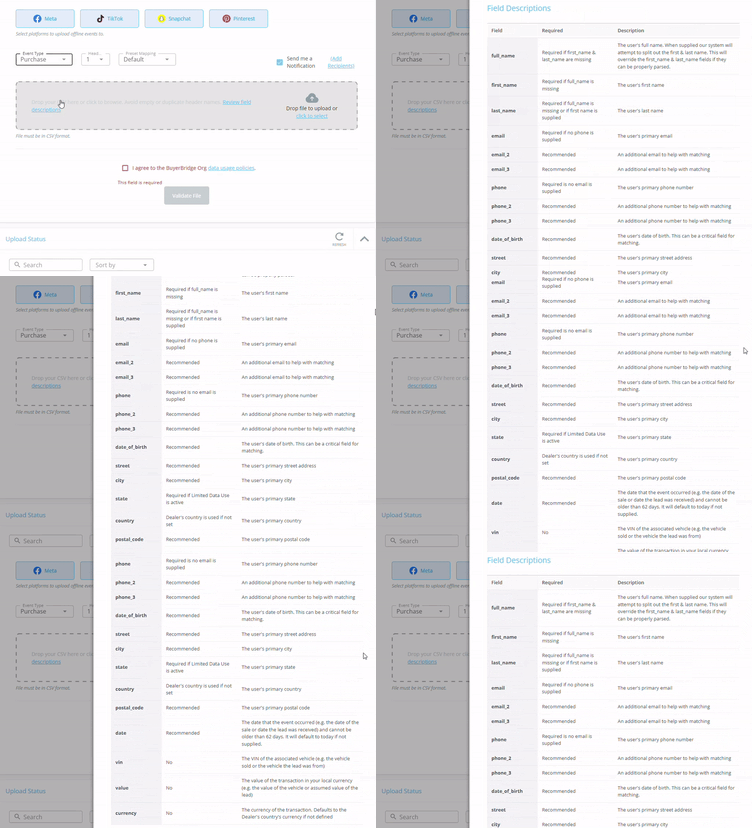
Use the **Field Descriptions** link inside the upload box anytime you need a refresher. Here are the key fields your file can include:
| **Field** | **When it matters** | **What it means** |
| --- | --- | --- |
| full\_name | Helpful when first/last missing | Full name (system may split into first/last) |
| first\_name | Required if full\_name missing | Customer first name |
| last\_name | Required if full name missing | Customer last name |
| email | Required if no phone | Primary email |
| email\_2, email\_3 | Recommended | Extra emails to improve matching |
| phone | Required if no email | Primary phone |
| phone\_2, phone\_3 | Recommended | Extra phones to improve matching |
| date\_of\_birth | Recommended | DOB can be a strong match signal |
| street | Recommended | Primary address |
| state | Recommended | Primary state |
| country | Used if not set | Defaults to the account’s country if missing |
| postal\_code | Recommended | ZIP / postal code |
| date | Recommended | Event date (defaults to today if missing; can’t be older than 62 days) |
| vin | Optional | Vehicle VIN tied to the event (automotive accounts) |
| value | Optional | Value of the transaction (local currency) |
| currency | Optional | Currency code (defaults if not supplied) |
| gclid | Required for Google | Google click ID of the ad click that led to the sale. Rows without one are not sent to Google. Other platforms ignore it. |
---
### **Step 1: Find the Offline Events Uploader**
1. In BuyerBridge, open the left-side navigation.
2. In the left menu, under **Account**, click **Offline Events**.
### **Step 2: Upload + validate your file**
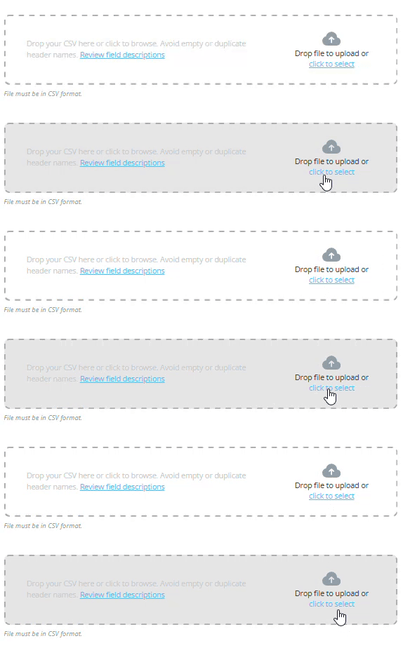
1. Drag and drop your CSV into the upload box (or click to select).
2. Choose the **Event Type** for the whole file: Purchase, Service or Lead.
3. If your column names aren’t on the first row, set **Header Row** to the row they’re on.
4. Pick a **Preset Mapping** if your file came from VinSolutions, DealerSocket or eLeads. Otherwise leave it on Default.
5. Select the platforms you want to upload to:
- Meta
- TikTok
- Snapchat
- Pinterest

- Google (each row needs a gclid)
- Reddit
Only channels set up for the account can be picked.
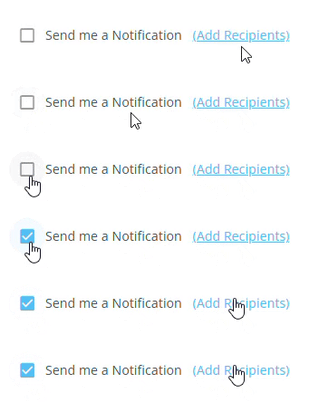
6. Optional: Turn on **Send me a Notification** and add recipients.
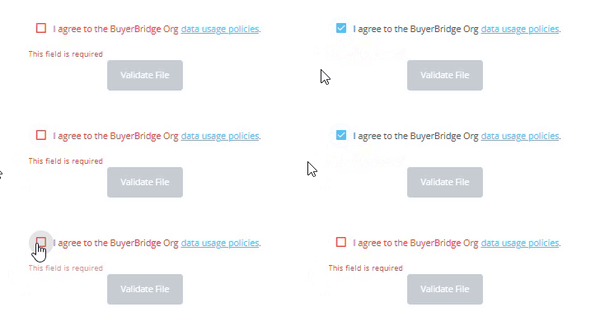
7. Check the box to agree to **BuyerBridge data usage policies**.
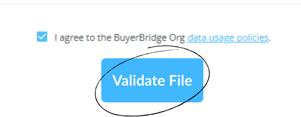
8. Click **Validate File**.
##### **Fixing validation issues**
After validation, you may see:
- **Fatal errors** → rows won’t upload (platform will reject them)
- **Warnings** → rows can upload, but matching may be weaker
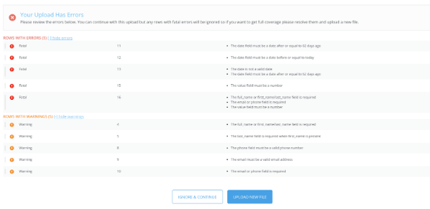
You can fix the file and re-upload, or continue if warnings are acceptable.
---
### **Step 3: Check Upload Status**
After upload, scroll to the **Upload Status** table.
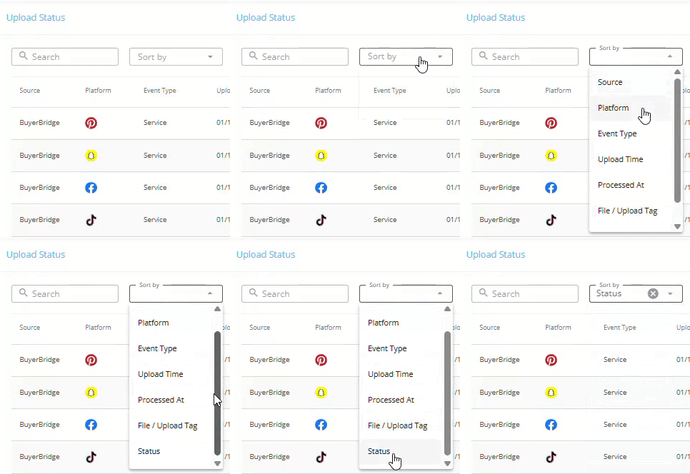
**Search or Sort by:**
- Platform
- Event Type
- Upload Time
- Processed At
- File/Upload Tag
- Status
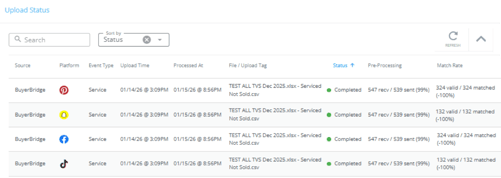
**Here’s what you’ll see:**
- **Status** (example: *Completed, Processing*)
- **Upload time** and **Processed at**
- **File / Upload Tag** (helps you identify what you uploaded)
- **Pre-Processing** KPI (example: “received vs sent” and a %)
- **Match Rate** (platform-provided matching details when available)
#### **What “Pre-Processing” means**
This shows how many rows BuyerBridge:
- **Received** from your file
- **Sent** forward to the platform
- The % is a quick “health check” that your file is clean and usable.
#### **What “Match Rate” means**
Match Rate is how many events were successfully matched to platform users *after processing* (example: “valid / matched”). Higher match rate = stronger matchback reporting.
**💡 Pro tip:** If Match Rate is lower than expected, go back to your CSV and add more identifiers (extra email/phone, DOB, address fields).
- [Getting Started](https://support.buyerbridge.com/knowledge/getting-started?hsLang=en#main-content)
- [Welcome Kit](https://support.buyerbridge.com/knowledge/getting-started?hsLang=en#welcome-kit)
- [Navigating the Platform](https://support.buyerbridge.com/knowledge/getting-started?hsLang=en#navigating-the-platform)
- [Account Management](https://support.buyerbridge.com/knowledge/getting-started?hsLang=en#account-management)
- [Onboarding Clients](https://support.buyerbridge.com/knowledge/onboarding-clients?hsLang=en#main-content)
- [Channel Onboarding](https://support.buyerbridge.com/knowledge/onboarding-clients?hsLang=en#channel-onboarding)
- [Google Onboarding](https://support.buyerbridge.com/knowledge/onboarding-clients?hsLang=en#google-onboarding)
- [Meta Onboarding](https://support.buyerbridge.com/knowledge/onboarding-clients?hsLang=en#meta-onboarding)
- [Pinterest Onboarding](https://support.buyerbridge.com/knowledge/onboarding-clients?hsLang=en#pinterest-onboarding)
- [Snapchat Onboarding](https://support.buyerbridge.com/knowledge/onboarding-clients?hsLang=en#snapchat-onboarding)
- [TikTok Onboarding](https://support.buyerbridge.com/knowledge/onboarding-clients?hsLang=en#tiktok-onboarding)
- [Platform Tools](https://support.buyerbridge.com/knowledge/platform-tools?hsLang=en#main-content)
- [Ad Builder](https://support.buyerbridge.com/knowledge/platform-tools?hsLang=en#ad-builder)
- [Ad Launcher](https://support.buyerbridge.com/knowledge/platform-tools?hsLang=en#ad-launcher)
- [Ads Library](https://support.buyerbridge.com/knowledge/platform-tools?hsLang=en#ads-library)
- [Best Practices](https://support.buyerbridge.com/knowledge/platform-tools?hsLang=en#best-practices)
- [Budgeting](https://support.buyerbridge.com/knowledge/platform-tools?hsLang=en#budgeting)
- [Campaign Management](https://support.buyerbridge.com/knowledge/platform-tools?hsLang=en#campaign-management)
- [EventFlow](https://support.buyerbridge.com/knowledge/platform-tools?hsLang=en#eventflow)
- [MarketAnalyzer](https://support.buyerbridge.com/knowledge/platform-tools?hsLang=en#marketanalyzer)
- [Playbooks](https://support.buyerbridge.com/knowledge/platform-tools?hsLang=en#playbooks)
- [Reports](https://support.buyerbridge.com/knowledge/platform-tools?hsLang=en#reports)
- [VINFlow](https://support.buyerbridge.com/knowledge/platform-tools?hsLang=en#vinflow)
- [White Labeling](https://support.buyerbridge.com/knowledge/platform-tools?hsLang=en#white-labeling)
- [AI Visibility](https://support.buyerbridge.com/knowledge/platform-tools?hsLang=en#ai-visibility)
- [Market Intelligence](https://support.buyerbridge.com/knowledge/platform-tools?hsLang=en#market-intelligence)
- [Multichannel Advertising](https://support.buyerbridge.com/knowledge/multichannel-advertising?hsLang=en#main-content)
- [Overview](https://support.buyerbridge.com/knowledge/multichannel-advertising?hsLang=en#overview)
- [Google](https://support.buyerbridge.com/knowledge/multichannel-advertising?hsLang=en#google)
- [Meta](https://support.buyerbridge.com/knowledge/multichannel-advertising?hsLang=en#meta)
- [Pinterest](https://support.buyerbridge.com/knowledge/multichannel-advertising?hsLang=en#pinterest)
- [Snapchat](https://support.buyerbridge.com/knowledge/multichannel-advertising?hsLang=en#snapchat)
- [TikTok](https://support.buyerbridge.com/knowledge/multichannel-advertising?hsLang=en#tiktok)
- [Agency Sales Assets](https://support.buyerbridge.com/knowledge/agency-sales-assets?hsLang=en#main-content)
- [Facebook Sales Assets](https://support.buyerbridge.com/knowledge/agency-sales-assets?hsLang=en#facebook-sales-assets)
- [Google Sales Assets](https://support.buyerbridge.com/knowledge/agency-sales-assets?hsLang=en#google-sales-assets)
- [Graphics & Web Elements](https://support.buyerbridge.com/knowledge/agency-sales-assets?hsLang=en#graphics-web-elements)
- [Instagram Sales Assets](https://support.buyerbridge.com/knowledge/agency-sales-assets?hsLang=en#instagram-sales-assets)
- [Meta Sales Assets](https://support.buyerbridge.com/knowledge/agency-sales-assets?hsLang=en#meta-sales-assets)
- [Omnichannel Sales Assets](https://support.buyerbridge.com/knowledge/agency-sales-assets?hsLang=en#omnichannel-sales-assets)
- [Pinterest Sales Assets](https://support.buyerbridge.com/knowledge/agency-sales-assets?hsLang=en#pinterest-sales-assets)
- [Snapchat Sales Assets](https://support.buyerbridge.com/knowledge/agency-sales-assets?hsLang=en#snapchat-sales-assets)
- [TikTok Sales Assets](https://support.buyerbridge.com/knowledge/agency-sales-assets?hsLang=en#tiktok-sales-assets)
- [Product Updates & Enhancements](https://support.buyerbridge.com/knowledge/product-updates-enhancements?hsLang=en#main-content)
- [Enhancements](https://support.buyerbridge.com/knowledge/product-updates-enhancements?hsLang=en#enhancements)
- [Product Updates](https://support.buyerbridge.com/knowledge/product-updates-enhancements?hsLang=en#product-updates)
- [Announcements](https://support.buyerbridge.com/knowledge/product-updates-enhancements?hsLang=en#announcements)
- [Metrics](https://support.buyerbridge.com/knowledge/metrics?hsLang=en#main-content)
- [Offline Events](https://support.buyerbridge.com/knowledge/metrics?hsLang=en#offline-events)
- [Metrics Defined](https://support.buyerbridge.com/knowledge/metrics?hsLang=en#metrics-defined)
- [Leads](https://support.buyerbridge.com/knowledge/metrics?hsLang=en#leads)
- [Reporting](https://support.buyerbridge.com/knowledge/metrics?hsLang=en#reporting)
- [Supported Providers](https://support.buyerbridge.com/knowledge/supported-providers?hsLang=en#main-content)
- [CRM Integrations](https://support.buyerbridge.com/knowledge/supported-providers?hsLang=en#crm-integrations)
- [Inventory & Feed Providers](https://support.buyerbridge.com/knowledge/supported-providers?hsLang=en#inventory-feed-providers)
- [Website Providers](https://support.buyerbridge.com/knowledge/supported-providers?hsLang=en#website-providers)
- [3rd Party Support](https://support.buyerbridge.com/knowledge/3rd-party-support?hsLang=en#main-content)
- [Facebook Platform Help](https://support.buyerbridge.com/knowledge/3rd-party-support?hsLang=en#facebook-platform-help)
[](https://buyerbridge.com/)
buyerbridge.com | Help Center
Copyright © 2026, Dealers United