![BuyerBridge_LOGO-dark-2.png]](https://support.buyerbridge.com/hs-fs/hubfs/BuyerBridge_LOGO-dark-2.png?height=40&name=BuyerBridge_LOGO-dark-2.png)
What changed in Meta?
Meta removed the in-platform option to target users based on their interactions with vehicles in a specific vehicle set for AIA Sales campaigns.
This means inventory targeting now requires an updated approach, especially if you previously relied on vehicle-set interaction targeting inside Meta.
What BuyerBridge Updated (the solution)
BuyerBridge supports an updated AIA workflow that keeps inventory targeting working reliably through Playbook deployment.
In simple terms:
You deploy an AIA Playbook in BuyerBridge, and BuyerBridge handles the correct vehicle set + audience logic behind the scenes.
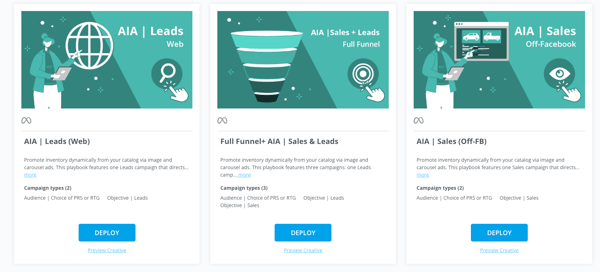
Two Ways to Use the Updated Workflow
Option 1: All Vehicles / All New / All Used (no Product Set required)
If you’re only advertising only vehicle sets of All Vehicles, All New, or All Used, just deploy one of these AIA Playbook types right in the Playbooks tab. You do not need to build a Product Set.
Start here:
-
AIA Playbooks: https://support.buyerbridge.com/knowledge/aia-playbooks
-
How to Deploy a Playbook: https://support.buyerbridge.com/knowledge/how-to-deploy-a-playbook
Option 2: Custom Product Sets (Plus + Elite tiers)
Plus + Elite partners can add a powerful layer of control:
-
Build Product Sets using performance filters (impressions, clicks, spend, leads, CTR, views), or Paste specific VINs to target exact vehicles
-
Attach that Product Set during Playbook deployment for tighter targeting
🔗 Learn VINFlow basics here (includes video)
What you should do next
-
Decide your path:
-
All/New/Used only → Deploy the Playbook
-
Custom targeting (Plus/Elite) → Build/select a Product Set, then deploy
-
-
Deploy / redeploy the AIA Playbook using the updated workflow
-
If using a custom set, attach the Product Set during deployment
Do / Don’t checklist
✅ Do
-
Deploy AIAs through BuyerBridge using Playbooks
-
Use All/New/Used if you don’t need custom sets
-
Use VINFlow Product Sets for custom targeting (Plus/Elite)
❌ Don’t
-
Don’t assume vehicle-set interaction targeting can be rebuilt the same way inside Meta
-
Don’t overcomplicate it—if All/New/Used fits your goal, deploy and go